Customizable Base Shapes: Rectangle, Rounded, and Contour
ColorLayer now supports three base shape options for your 3D prints. Choose between rectangle, rounded corners, or contour-fit bases that follow your image outline.
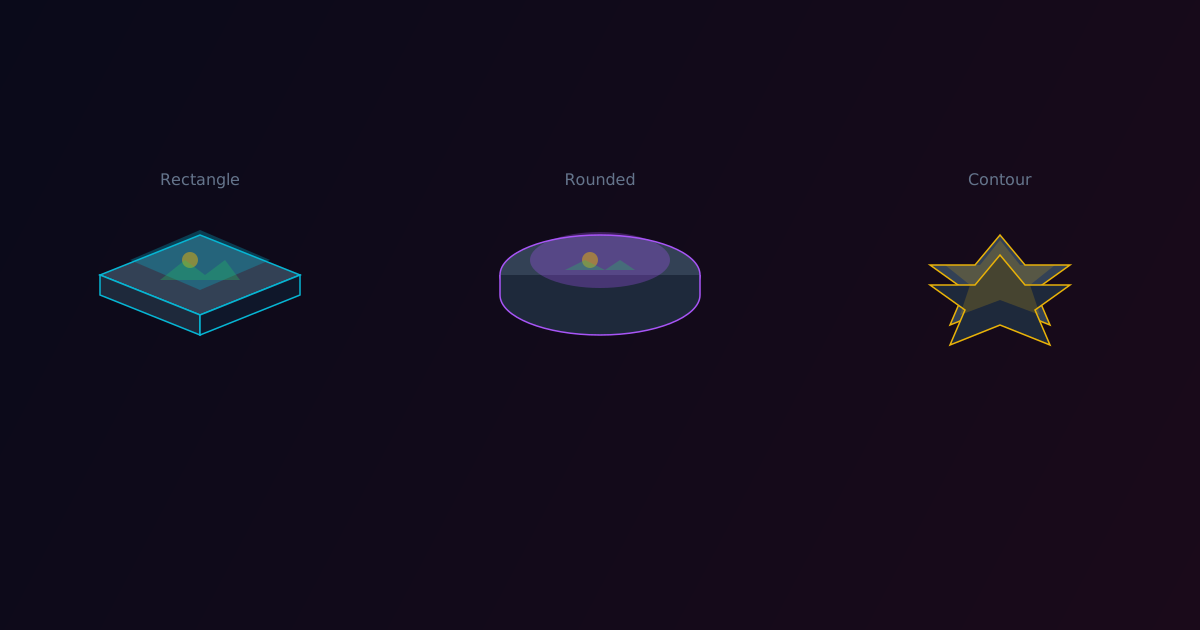
The base layer in multi-color 3D printing serves two purposes: structural support and optical reflection. A white base reflects light back through the translucent color layers above, producing brighter and more vibrant colors. But until now, your base was always a simple rectangle.
Today we are adding three base shape options to ColorLayer: Rectangle, Rounded, and Contour.
Rectangle
The classic option. A simple rectangular base that extends to the full image boundaries plus your configured margin. This is the most structurally sound option and works well for wall-mounted prints or anything that sits flat.
Best for:
- Wall art and plaques
- Coasters and tiles
- Any print where a clean rectangular border makes sense
Rounded
A rectangular base with smoothly rounded corners. The corner radius is calculated proportionally to the base size, giving a modern, polished look. This option adds visual refinement without requiring the complexity of contour detection.
Best for:
- Decorative pieces
- Phone cases and accessories
- Prints where you want softer aesthetics
Contour
The most interesting option. ColorLayer detects the content boundary of your image and generates a base that follows the outline of your subject. If you upload a picture of a cat, the base will be cat-shaped. If you upload a logo, the base follows the logo contour.
The contour detection works by:
- Identifying transparent/background pixels — anything that is not part of your image content
- Tracing the outer boundary — using the same Potrace algorithm we use for SVG export
- Adding margin — expanding the contour by your configured margin amount
- Simplifying — reducing unnecessary path complexity for clean geometry
Best for:
- Stickers and magnets
- Keychains and ornaments
- Any print where you want the shape itself to be part of the design
Base Settings
All three shapes share the same configurable settings:
- Thickness: 0.2mm to 1.0mm (recommended 0.4-0.6mm)
- Margin: Extra border around the image content
- Enable/Disable: Turn the base on or off entirely
The Optical Role of the Base
Remember that the base is not just structural. In multi-color printing with translucent filaments, the base color directly affects the final appearance:
- White base → Brightest, most vivid colors (recommended for most prints)
- No base → Colors appear darker as light passes through to the build plate
- Colored base → Adds a tint to all colors above it
For most use cases, we recommend keeping a white base enabled. The brightness difference is significant.
Try It Out
Open the ColorLayer editor, upload an image, and look for the base shape option in the settings panel. Try all three options and see which one works best for your specific image.
The contour base shape pairs especially well with images that have transparent backgrounds. Use our background removal feature first, then switch to contour base for a perfectly shaped print.
ColorLayer Team
Author